

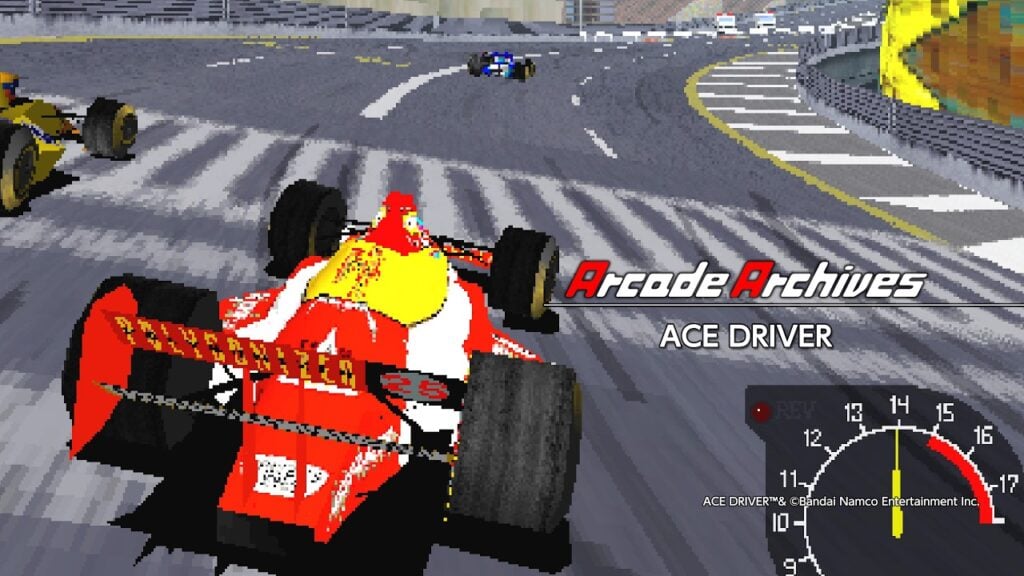
HAMSTER has announced that this week’s Arcade Archives 2 release for PlayStation 5, Xbox Series, and Switch 2, and Arcade Archives release for PlayStation 4 and Switch, will be the Namco title Ace Driver, releasing on May 28, 2026.
The high-speed battle is about to begin!
Ace Driver is a racing game released by Namco Limited (current Bandai Namco Entertainment Inc.) in 1994.
Experience the essence of racing with breathtaking race tracks and authentic handling.
Choose a class based on your player level and charge through the game! Who is the true ACE DRIVER!?
The Arcade Archives series is developed with the concept of faithfully reproducing classic arcade games, staying true to its original.
In Original Mode, you’ll find a variety of convenient features that make revisiting these classic titles even more enjoyable. These include difficulty and display settings, button remapping, rapid-fire options, the ability to create multiple save files at any time, and even a rewind function to undo your last move. Some titles also offer special settings that recreates the nostalgic atmosphere of CRT TVs back in the day. In addition, in Hi Score Mode and Caravan Mode, you can compete for the best scores with players around the world through Online Rankings.
Arcade Archives 2 series introduces a brand-new mode called Time Attack Mode, in addition to the Original Mode, Hi Score Mode, and Caravan Mode from Arcade Archives. Time Attack Mode focuses on how quickly you can complete the game, regardless of the score you achieve.
What’s more, with VRR (Variable Refresh Rate) support, the gameplay can be reproduced even more accurately, closer to the original arcade experience.
Please enjoy these iconic arcade games that defined an era with the Arcade Archives series!
Split Screen Mode
With Arcade Archives 2 Ace Driver Split Screen Mode, you can choose between two or four screens for local multiplayer on a single console. For Nintendo Switch 2, you can also play in “TV Mode” or “Tabletop Mode.”
Gameplay functions in this mode are the same as in Original Mode; however, features like save / load, rewind, screen layout, and display frame settings are unavailable.
Split Screen Mode (Two Screens)
In Split Screen Mode (two screens), up to two players can play the game together! To play with two players, please connect two controllers to the console.
The first controller’s display is shown on the left, and the second controller’s display is shown on the right.
Split Screen Mode (Four Screens)
In Split Screen Mode (four screens), up to 4 players can play the game together! To play with four players, please connect four controllers to the console.
The first controller’s display is shown in the upper left, the second controller’s display in the upper right, the third controller’s display in the lower left, and the fourth controller’s display in the lower right.
How to Start Local Multiplayer
During the opening demo, press the Insert Coin button twice to bring up the Player Join screen. Other players can also join the game during this screen by pressing the Insert Coin button twice before the countdown ends.
Attention
Players who join during the entry period can play together in local multiplayer. Players who do not join in time will play single-player mode instead.
Transmission Type and Racing Class Selection
On the Select a Transmission Type screen, select either AT (automatic) or MT (manual) using the [Shift Up] and [Shift Down] buttons, then press the [Accelerate] button to confirm.
On the Select a Racing Class screen, choose your preferred course from Beginner Class, Expert Class, or Expert (Pro) Class using the [Shift Up] and [Shift Down] buttons, then press the [Accelerate] button to confirm.